Lion OTT IPTV on Firestick: Easy Installation and Setup Guide
If you’re a sports lover or movie enthusiast, you’ve probably heard about Lion OTT IPTV. It’s quickly becoming one of the most popular streaming options worldwide. The best part? You can easily install and use IPTV on Firestick to unlock thousands of live TV channels, sports events, movies, and on-demand shows, all in one place.
In this guide, we’ll walk you through everything you need to know about installing and setting up Lion OTT IPTV on a Firestick. Whether you’re new to IPTV or already familiar with streaming services, this tutorial will make the process simple and hassle-free.
Why Choose IPTV for Firestick?
Fire TV Stick is one of the most powerful streaming devices. Pairing it with IPTV for Firestick gives you access to global entertainment without the limitations of cable. Here are some top benefits:
- Unlimited Sports & Live TV – Watch Premier League, NFL, NBA, and more with Fire Stick IPTV.
- Affordable – Skip expensive cable bills with an IPTV streaming service for Firestick.
- Flexibility – With the right IPTV player for Firestick, you can stream from anywhere.
- HD & 4K Quality – Most Firestick IPTV apps support high-definition streams.
Preparing Your Firestick for IPTV
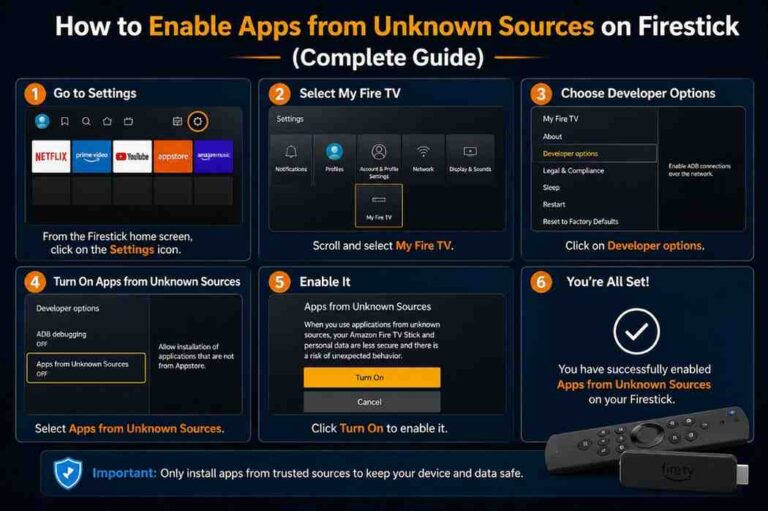
Before you install IPTV on Firestick, you need to make a few quick changes:
- Go to Settings > My Fire TV.
- Select Developer Options.
- Enable Apps from Unknown Sources.
- Install the Downloader App from the Store.
Now your Fire TV Stick IPTV is ready for installation.
How to Install Lion OTT IPTV on Firestick
Here’s the step-by-step guide to set up IPTV on Fire TV Stick:
Step 1: Install Downloader App
- Open the App Store and search for Downloader.
Download and install it. This app allows you to download IPTV on Firestick easily.
Step 2: Enter IPTV Code
- Launch downloader and enter the code: 150797.
- Press Go to start downloading.
Step 3: Install IPTV on Firestick
- Once the APK is downloaded, click Install IPTV Firestick.
- After installation, launch the app.
Step 4: Log in to Lion OTT IPTV
- Open the app and enter your IPTV subscription details.
- Now you’re ready to stream!
Best IPTV Player for Firestick
To get the best streaming experience, you can use popular IPTV players for Firestick, such as:
- IPTV Smarters Pro – One of the best IPTV streaming apps for Firestick.
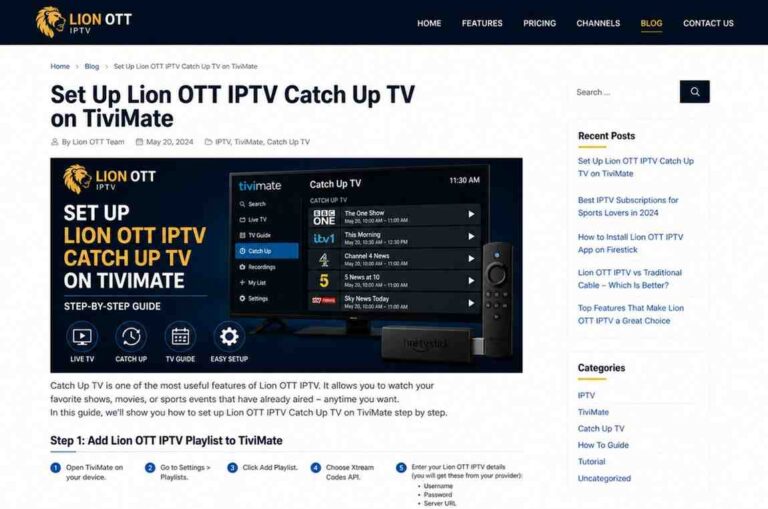
- TiviMate IPTV Player – Known for its sleek interface and smooth playback.
These Firestick IPTV players help you organize channels and create a personalized viewing experience.
How to Setup Perfect Player for IPTV on Firestick
If you want to set up Perfect Player IPTV, here’s how:
- Download Perfect Player from the Downloader app.
- Open the app and go to Settings.
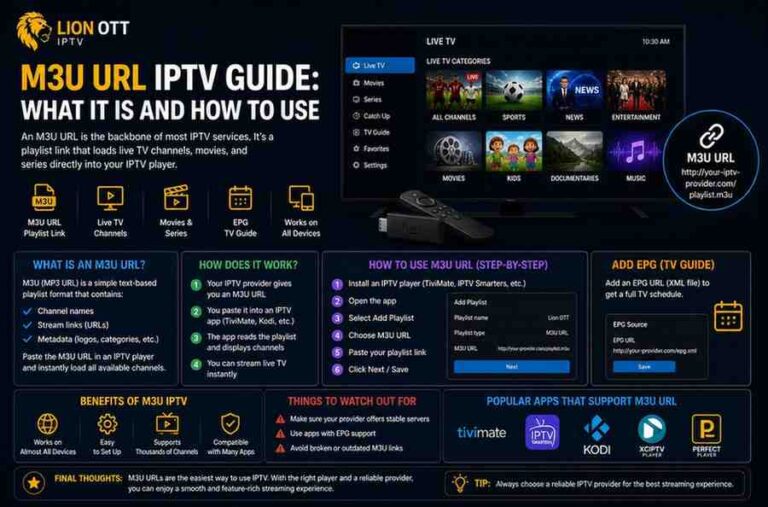
- Select General > Playlist and enter your M3U playlist URL.
- Save and refresh channels.
That’s it, you’ve completed the Perfect Player setup on Firestick.
Final Thoughts
Installing IPTV on a Firestick is one of the easiest ways to enjoy unlimited entertainment. With Lion OTT IPTV, you can stream movies, TV shows, live sports, and premium content at a fraction of the cost of cable.
Whether you call it IPTV Firestick or Fire TV Stick IPTV, the setup process is simple. Just follow the steps above to install IPTV on Firestick and enjoy endless streaming.
FAQs About IPTV on Firestick
Currently, Lion OTT IPTV is one of the most trusted and popular providers for Firestick users.
Yes! With Firestick IPTV, you can stream the Premier League and other major sports leagues live.
Some IPTV services may face server downtimes or buffering. To avoid this, always choose a reliable IPTV service for Firestick like Lion OTT.