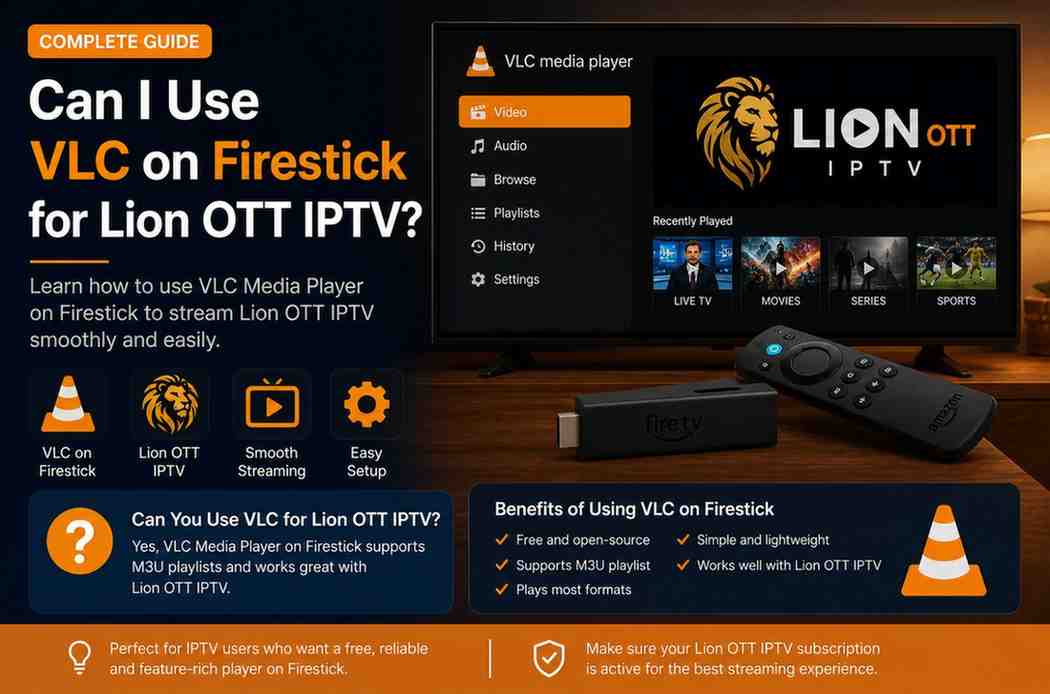
Use VLC on Firestick for Lion OTT IPTV
If you’re using Lion OTT IPTV and exploring different ways to stream it on your Firestick, you’ve probably come across VLC Media Player. It’s one of the most popular media players in the world, known for its simplicity, flexibility, and ability to play almost any format you throw at it.
But here’s the real question: Can you actually use VLC on Firestick for Lion OTT IPTV?
The short answer is yes—you can. But whether you should use it depends on what kind of experience you’re looking for.
In this guide, we’ll walk through everything in a clear, practical way—how it works, how to set it up, the pros and cons, and whether it’s the right choice for you.
What Is VLC Media Player?
VLC Media Player is a free, open-source media player that supports a wide range of video and audio formats. It’s widely used across different platforms, including Android-based devices like Firestick.
What makes VLC special is:
- It’s lightweight
- It supports M3U playlists
- It works without complicated setup
- It doesn’t rely on extra codecs
This makes it a surprisingly useful option for IPTV streaming.
Can VLC Work with Lion OTT IPTV?
Yes, VLC can work with Lion OTT IPTV—but with some limitations.
Lion OTT IPTV typically provides:
- M3U playlist URLs
- Stream links
VLC supports these formats, which means you can load your IPTV playlist directly into the app and start streaming.
However, VLC is not a dedicated IPTV app. It doesn’t include advanced IPTV features like TV guides or channel categories.
Why Consider VLC for IPTV on Firestick?
At first glance, using VLC might seem like an unusual choice compared to apps like TiviMate or IPTV Smarters. But it does have some advantages.
1. Completely Free
VLC is 100% free with no premium version or hidden costs.
2. Lightweight Performance
It runs smoothly even on lower-end Firestick models.
3. Wide Format Support
It can handle various IPTV stream formats without issues.
4. Simple Setup
No complex configuration required.
Limitations of Using VLC for IPTV
This is where reality kicks in—VLC isn’t perfect for IPTV.
No EPG (TV Guide)
You won’t get a traditional TV guide layout.
Basic Interface
It feels more like a media player than a TV app.
No Advanced Features
Missing features like:
- Recording
- Catch-up TV
- Channel grouping
Manual Navigation
Switching channels isn’t as smooth as dedicated IPTV apps.
How to Install VLC on Firestick
Installing VLC on Firestick is straightforward.
Method 1: From Amazon App Store
- Go to the search icon on Firestick
- Type “VLC”
- Select VLC Media Player
- Click Download
Method 2: Using Downloader (if not available)
- Install Downloader app
- Enter VLC APK URL
- Download and install
How to Use VLC with Lion OTT IPTV
Once VLC is installed, you’re ready to set it up.
Step-by-Step Setup
- Open VLC
- Go to Network Stream
- Enter your Lion OTT IPTV M3U URL
- Click Play
That’s it—you should now be able to stream your IPTV channels.
What the Experience Feels Like
Using VLC for IPTV is very different from using a dedicated IPTV app.
With VLC
- Channels play directly
- No organized TV interface
- Feels like playing video files
With IPTV Apps
- Structured channel lists
- TV guide (EPG)
- Easy navigation
Is VLC Good for Live IPTV Streaming?
Yes—but only for basic usage.
VLC handles live streams well, but:
- It lacks channel organization
- Switching between channels isn’t seamless
For casual viewing, it works fine. For heavy IPTV users, it might feel limited.
Performance on Firestick
VLC performs surprisingly well on Firestick.
You’ll notice:
- Fast loading times
- Smooth playback
- Minimal lag
Since it’s lightweight, it doesn’t strain your device like heavier IPTV apps.
When VLC Is a Good Choice
VLC is a great option if:
- You want a free solution
- You prefer simplicity
- You only watch a few channels
- You’re testing IPTV services
When VLC Is NOT the Best Choice
You might want to avoid VLC if:
- You want a full TV experience
- You need an EPG (TV guide)
- You use IPTV daily
- You prefer organized channel lists
VLC vs IPTV Apps (Quick Comparison)
| Feature | VLC | IPTV Apps |
| Cost | Free | Free/Paid |
| Interface | Basic | Advanced |
| TV Guide | No | Yes |
| Performance | Fast | Depends |
| Ease of Use | Simple | Moderate |
| Features | Limited | Extensive |
Real-Life Example
Imagine you’re watching a live sports match.
Using VLC
- You open the stream
- It plays smoothly
- But switching channels takes time
Using IPTV App
- You browse channels easily
- See schedules
- Switch instantly
That’s the difference in experience.
Tips for Better Performance
To get the best out of VLC:
- Use a stable internet connection
- Prefer Ethernet over WiFi
- Close background apps
- Restart Firestick regularly
Does VLC Support HD and 4K IPTV?
Yes, VLC supports high-quality streams including HD and 4K.
However, performance depends on:
- Your internet speed
- Firestick model
- Stream quality from your provider
Is VLC Safe to Use on Firestick?
Yes, VLC is completely safe.
It’s open-source and widely trusted. Just make sure you download it from official or reliable sources.
Common Mistakes to Avoid
1. Expecting Full IPTV Features
VLC is not a full IPTV platform.
2. Using Slow Internet
Even VLC can’t fix buffering caused by poor internet.
3. Loading Large Playlists
Huge playlists can be harder to manage in VLC.
Should You Use VLC for Lion OTT IPTV?
Here’s the honest answer:
- Yes, if you want a simple, free solution
- No, if you want a full IPTV experience
Many users actually use VLC as a backup player rather than their main IPTV app.
Final Thoughts
VLC on Firestick for Lion OTT IPTV is one of those solutions that works—but isn’t perfect.
It’s reliable, free, and easy to use. But it lacks the features that make IPTV truly enjoyable, like TV guides and smooth navigation.
If you’re just starting out or want a lightweight option, VLC is a great choice. But if you’re serious about IPTV, you’ll likely want to explore dedicated apps later.
Conclusion
So, can you use VLC on Firestick for Lion OTT IPTV? Absolutely.
But the better question is: Should you rely on it?
For basic streaming, it does the job well. For a complete IPTV experience, it falls short.
The best approach? Try it yourself. See how it fits your needs. And if you outgrow it, you’ll already know what features matter most to you.