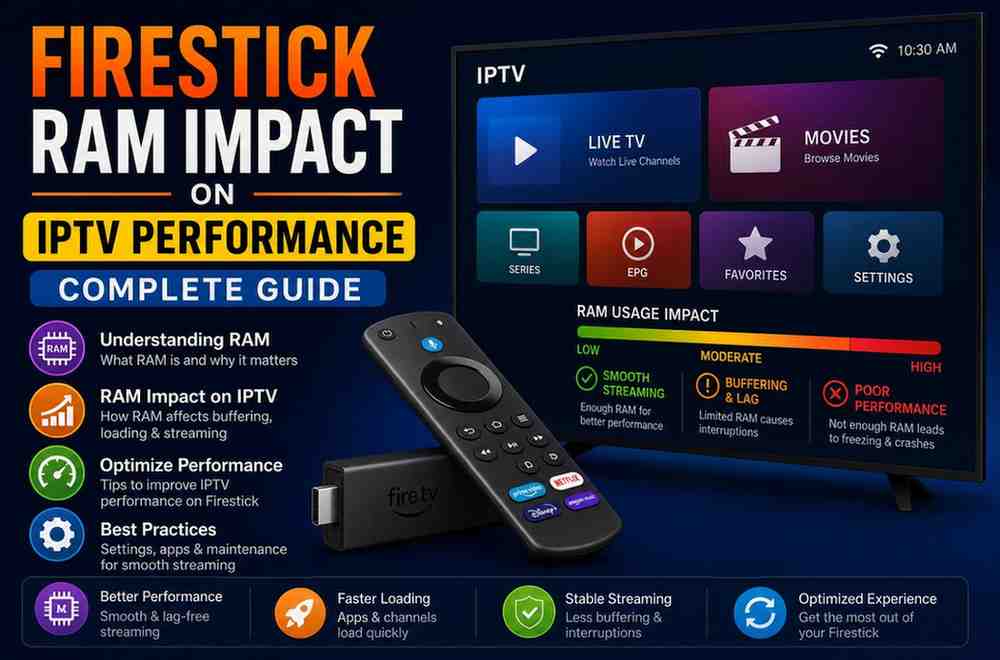
Firestick RAM Impact on IPTV Performance Complete Guide
Streaming has become the go-to way for watching live TV, movies, and sports, and IPTV is right at the center of this shift. Devices like the Amazon Firestick have made it incredibly easy to access IPTV services from the comfort of your home. In the Firestick RAM IPTV Guide, you’ll understand how memory affects streaming performance. But if you’ve ever faced buffering, lag, or app crashes, you might have wondered—does RAM actually play a role in all of this?
The Firestick RAM IPTV Guide explains that the short answer is yes, it does. But the full picture is a bit more nuanced. Let’s break it down in a way that actually makes sense, without drowning in technical jargon.
This Firestick RAM IPTV Guide will help you understand why RAM matters and how it influences smooth IPTV streaming on Firestick devices.
What Is RAM and Why Does It Matter?
RAM (Random Access Memory) is essentially your Firestick’s short-term memory. It temporarily stores data that apps and processes need while running. The more RAM your device has, the more smoothly it can handle multiple tasks at once.
Think of RAM like a workspace on a desk. A bigger desk lets you spread out your materials and work efficiently. A small desk? You’ll constantly be shuffling things around—and that slows you down.
How IPTV Uses RAM on Firestick
IPTV apps rely heavily on real-time data processing. When you stream live TV or video-on-demand content, your Firestick is constantly:
- Loading video streams
- Decoding media files
- Running the IPTV app interface
- Managing background processes
All of this requires memory. If your Firestick doesn’t have enough RAM, it starts struggling to keep up.
Different Firestick Models and Their RAM
Not all Firesticks are created equal. Here’s a quick overview:
- Firestick Lite / Standard – 1GB RAM
- Firestick 4K / 4K Max – 1.5GB–2GB RAM
That difference might sound small, but in real-world usage, it can significantly affect performance—especially for IPTV.
Signs Your Firestick RAM Is Limiting IPTV Performance
If your device is running low on RAM, you’ll likely notice:
1. Frequent Buffering
Even with a good internet connection, insufficient RAM can cause buffering because the device can’t process streams fast enough.
2. App Crashes
IPTV apps may suddenly close if the system runs out of available memory.
3. Slow Navigation
Menus lag, channels take longer to load, and switching between streams feels sluggish.
4. Freezing or Stuttering
Playback may pause or stutter, especially during high-resolution streams like HD or 4K.
Does More RAM Always Mean Better IPTV Performance?
More RAM definitely helps—but it’s not the only factor.
RAM works alongside:
- Processor (CPU)
- Internet speed
- App optimization
- Storage space
For example, a Firestick with more RAM but a slow internet connection will still buffer. Similarly, a poorly optimized IPTV app can struggle even on better hardware.
RAM vs Internet Speed: What Matters More?
This is a common misconception. People often blame their internet when streams lag—but sometimes, RAM is the real bottleneck.
Internet affects:
- Stream quality
- Loading time
- Buffering from network delays
RAM affects:
- App responsiveness
- Multitasking
- Stability during playback
You need both working well for smooth IPTV streaming.
How Much RAM Do You Actually Need for IPTV?
For a smooth experience:
- 1GB RAM: Basic IPTV usage, may struggle with HD or multitasking
- 1.5GB RAM: Decent performance, suitable for most users
- 2GB RAM or more: Ideal for heavy IPTV usage, 4K streaming, and multiple apps
If you’re a regular IPTV user, aiming for at least 1.5GB–2GB RAM is a safer choice.
Why IPTV Apps Can Be RAM-Intensive
IPTV apps aren’t just simple video players. Many of them include:
- Electronic Program Guides (EPG)
- Channel logos and previews
- On-demand libraries
- Background updates
All of these features consume memory. The more advanced the app, the more RAM it typically requires.
How to Improve IPTV Performance on Low-RAM Firesticks
If upgrading your device isn’t an option, there are still ways to improve performance.
1. Close Background Apps
Firestick doesn’t always automatically close apps. Running multiple apps eats up RAM quickly.
2. Clear App Cache
Cached data can build up and slow things down. Clearing it frees up memory.
3. Uninstall Unused Apps
Less clutter means more available RAM for IPTV.
4. Restart Your Device Regularly
A simple restart clears temporary memory and can improve performance instantly.
5. Use Lightweight IPTV Apps
Some apps are better optimized and use less RAM.
Does 4K Streaming Require More RAM?
Absolutely. Higher resolution streams require more processing power and memory.
When streaming 4K IPTV content:
- More data is being processed per second
- The device needs to decode higher-quality video
- Buffering demands increase
That’s why lower-RAM Firesticks often struggle with 4K streams.
Multitasking and RAM Impact
If you frequently switch between apps—like IPTV, YouTube, or browsers—RAM becomes even more important.
With limited RAM:
- Apps reload every time you switch
- Performance becomes inconsistent
- IPTV streams may restart or buffer
More RAM allows smoother multitasking without interruptions.
Is Upgrading Your Firestick Worth It?
If you’re experiencing constant issues, upgrading can make a noticeable difference.
Upgrade if you:
- Use IPTV daily
- Stream HD or 4K content
- Experience frequent lag or crashes
- Use multiple apps regularly
The newer Firestick models with higher RAM are designed to handle modern streaming demands much better.
Common Myths About Firestick RAM and IPTV
Myth 1: Buffering is always due to slow internet
Not true. RAM limitations can also cause buffering.
Myth 2: All Firesticks perform the same
Different models have different hardware capabilities.
Myth 3: Clearing storage improves RAM
Storage and RAM are separate. Clearing storage helps indirectly, but doesn’t increase RAM.
Real-World Example
Imagine watching a live sports event on IPTV. The stream is HD, the app is loading channel guides, and you switch between channels.
On a low-RAM Firestick:
- The stream buffers
- The app lags
- Switching channels takes time
On a higher-RAM Firestick:
- Playback is smoother
- Navigation is faster
- Overall experience feels seamless
That’s the difference RAM can make.
Best Practices for Smooth IPTV Streaming
To get the best experience:
- Use a stable internet connection (preferably Wi-Fi 5GHz)
- Keep your Firestick updated
- Avoid running too many apps at once
- Choose reliable IPTV providers
- Restart your device occasionally
Final Thoughts
So, does Firestick RAM affect IPTV performance? Yes—it absolutely does.
While it’s not the only factor, RAM plays a crucial role in how smoothly your IPTV apps run, how quickly channels load, and whether your streams play without interruptions.
If you’re using an older or lower-RAM Firestick, you might start noticing limitations, especially as IPTV apps become more advanced. Upgrading to a device with more RAM can significantly improve your streaming experience.
At the end of the day, smooth IPTV streaming is all about balance—good hardware, stable internet, and optimized apps working together. And RAM is a key piece of that puzzle.