How to Download IPTV Smarters on Firestick to setup Lion OTT Premium IPTV
Watching your favorite live TV channels, movies, and sports has become easier than ever with IPTV apps. Among them, IPTV Smarters is one of the most popular and user-friendly IPTV players for Firestick users. If you’ve just bought an Amazon Fire TV Stick or want to upgrade your streaming experience, this guide will walk you through how to download IPTV Smarters on Firestick to Setup Lion OTT Premium IPTV and get it running in no time.
What is IPTV Smarters?
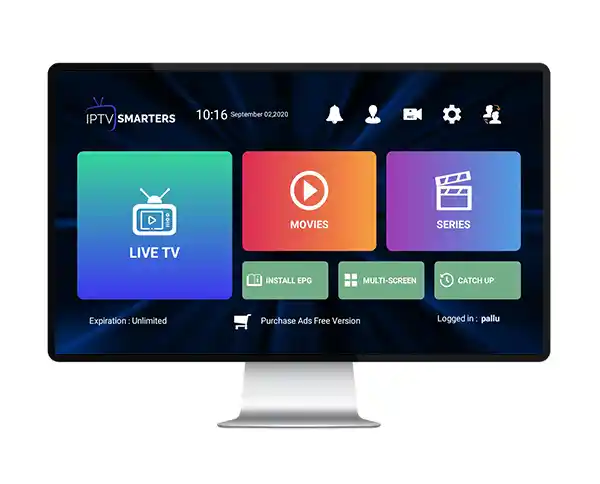
IPTV Smarters is an IPTV player app that allows users to stream live TV, movies, and series using their IPTV subscription. It doesn’t provide channels directly but works as a platform to integrate IPTV services through login credentials, playlists, or Xtream Codes API.
With a simple interface, support for multiple devices, and powerful streaming options, it has become the go-to app for many IPTV users on Firestick.
Why Use IPTV Smarters on Firestick?
Here are the main reasons why IPTV Smarters is a top choice for Fire TV Stick users:
- 📺 User-friendly Interface – Easy to navigate, even for beginners.
- 🌍 Supports Multiple IPTV Accounts – Add different IPTV subscriptions in one app.
- 🎥 VOD & Catch-Up Support – Access live channels, movies, and series on demand.
- ⚡ Fast Streaming – Optimized for Firestick performance.
- 🔄 Cross-Platform – Works on Firestick, Android, iOS, Windows, and Smart TVs.
Preparing Your Firestick Before Installation
Before installing IPTV Smarters, make sure your Firestick is ready for third-party apps.
- Turn on your Amazon Fire TV Stick.
- Go to Settings > My Fire TV > Developer Options.
- Enable Apps from Unknown Sources.
- Also, enable ADB Debugging.
This step ensures you can sideload IPTV Smarters since it isn’t available on the Amazon App Store directly.
How to Download IPTV Smarters on Firestick (Step-by-Step)
Step 1: Install Downloader App
- From the Firestick Home Screen, go to Find > Search.
- Type Downloader and select it from the list.
- Install the Downloader App (by AFTVnews).
- Open it and grant all permissions.
Step 2: Download IPTV Smarters
- Open the Downloader App.
- Type Firestick code “5336197”
- Click Go to start downloading the APK file.
- Once downloaded, click Install.
- After installation, click Done and delete the APK file to save space.
Step 3: Open IPTV Smarters on Firestick
- Go back to the Home Screen.
- Navigate to Your Apps & Channels.
- Find and launch IPTV Smarters.
Setting Up IPTV Smarters on Firestick
- Open the IPTV Smarters app.
- Accept the Terms of Use.
- Choose your login method:
- Xtream Codes API
- M3U Playlist File/URL
- Login with Username & Password
- Xtream Codes API
- Get IPTV Logins from us
- Enjoy streaming live TV, movies, and series on Firestick.
Pro Tips for IPTV Smarters on Firestick
- Use a high-speed internet connection (minimum 20 Mbps for HD, 40 Mbps for 4K).
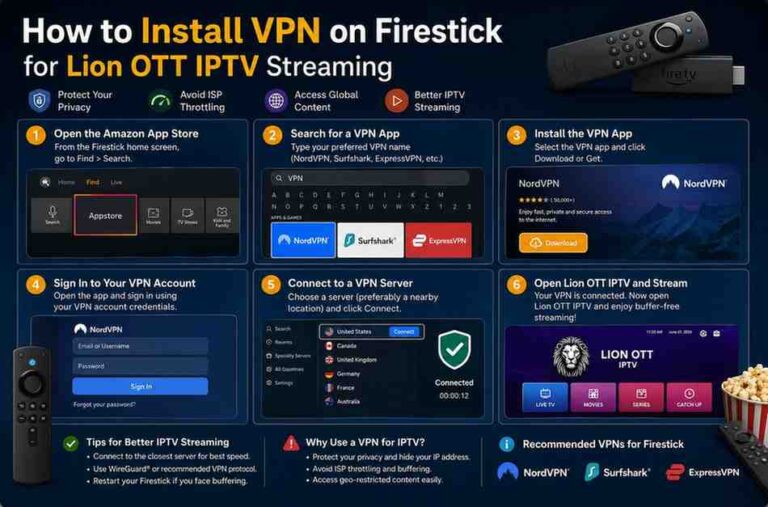
- Pair it with a VPN to protect your privacy and bypass geo-restrictions.
- Customize your app layout for easier navigation.
- Update the app regularly for the latest features.
Final Thoughts
Installing IPTV Smarters on Firestick is quick and simple with the Downloader app. It gives you a smooth IPTV experience with multiple login methods, VOD support, and easy navigation. If you’re looking for a reliable IPTV player for Firestick, IPTV Smarters is one of the best options available today.
With just a few steps, you can transform your Amazon Fire TV Stick into a powerful streaming hub for all your IPTV services.
FAQs
Yes, IPTV Smarters is free to download and use as an IPTV player. However, you’ll need an IPTV subscription to access channels.
No, IPTV Smarters is not available on the official store. You need to sideload it using the Downloader app.
It’s highly recommended. A VPN ensures your streaming is secure and bypasses ISP throttling or restrictions.
Almost all IPTV providers offering M3U playlists, Xtream Codes, or login credentials work with IPTV Smarters.
Re-download the latest APK version using Downloader and install it over the old version.