Is TiviMate Free on Firestick Complete Guide
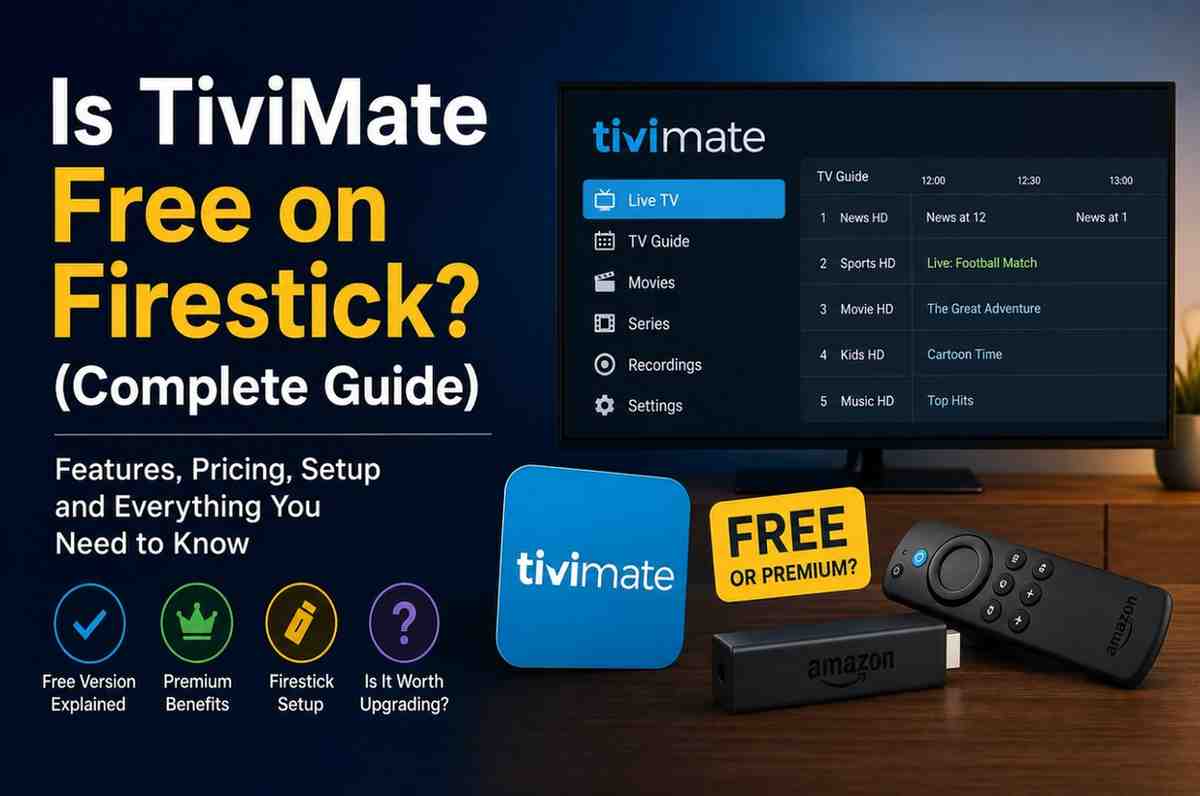
If you’ve been exploring IPTV apps for your Firestick, chances are you’ve come across TiviMate. This TiviMate free Firestick guide explains why it’s often recommended as one of the best IPTV players, especially for users who want a clean, cable-like experience on their TV.
But there’s one question that keeps coming up: Is TiviMate actually free on Firestick? This TiviMate free Firestick guide will help you understand the difference between the free and premium versions.
The answer isn’t a simple yes or no. There is a free version—but it comes with limitations. That’s why this TiviMate free Firestick guide is useful for deciding whether the free version is enough for your IPTV needs.
Let’s break it all down in a clear, practical way so this TiviMate free Firestick guide shows you exactly what you’re getting and whether upgrading is worth it.
What Is TiviMate?
TiviMate is an IPTV player designed mainly for Android TV devices, including Firestick. It doesn’t provide any channels or content on its own. Instead, it acts as a platform where you can load your IPTV subscription and watch live TV, movies, and shows.
Think of it like a media player:
- Your IPTV provider = content
- TiviMate = the interface you use to watch it
What makes TiviMate stand out is its smooth performance and TV-style layout, which feels very similar to traditional cable TV.
Is TiviMate Free on Firestick?
Yes—but only partially.
TiviMate offers a free version that you can install and use on your Firestick. However, this version is quite limited compared to the premium version.
So technically:
- ✔ Free version available
- ✖ Full features require a paid upgrade
What Do You Get in the Free Version?
The free version is enough to get started, especially if you’re new to IPTV.
Here’s what you can do:
- Add an IPTV playlist
- Watch live TV channels
- Use a basic TV guide (EPG)
- Navigate through channels
For casual users, this might be all you need.
But once you start using it regularly, the limitations become more noticeable.
What’s Missing in the Free Version?
This is where things get interesting.
The free version lacks several features that make TiviMate truly powerful:
- No recording option
- No multiple playlist support
- Limited customization
- No advanced EPG controls
- No catch-up features
- No backup/restore options
These features are locked behind the premium version.
What Is TiviMate Premium?
TiviMate Premium is the paid version that unlocks all features.
It’s designed for users who want a more advanced, flexible, and polished IPTV experience.
With Premium, you get:
- Multiple playlists support
- Recording live TV
- Advanced channel management
- Customizable interface
- Catch-up TV (if supported by provider)
- Backup and restore settings
How Much Does TiviMate Premium Cost?
TiviMate Premium is relatively affordable compared to many streaming services.
Typically, you’ll find:
- Annual subscription
- Lifetime option (one-time payment)
Prices may vary slightly, but most users find it worth the cost considering the features it unlocks.
Is the Free Version Enough for IPTV?
It depends on how you use IPTV.
Free Version Is Enough If:
- You only watch live TV occasionally
- You use a single playlist
- You don’t need advanced features
You’ll Need Premium If:
- You use IPTV daily
- You want a better TV guide experience
- You need recording or customization
- You manage multiple playlists
Why Do So Many People Recommend TiviMate Premium?
Once you try the premium version, the difference is obvious.
The app becomes:
- Faster
- More organized
- Easier to navigate
- More flexible
It transforms from a basic player into a full-featured IPTV hub.
Is TiviMate Safe to Use on Firestick?
Yes, TiviMate itself is safe.
However, remember:
- It doesn’t provide content
- Your IPTV provider determines what you watch
Always use trusted IPTV services to avoid issues.
How to Install TiviMate on Firestick
Since TiviMate isn’t always available directly in the Amazon App Store, you may need to sideload it.
Basic steps include:
- Enable apps from unknown sources
- Install a downloader app
- Download TiviMate APK
- Install and launch
It sounds technical, but it’s actually quite simple once you do it.
Free vs Premium: Real Experience Comparison
Let’s look at a real-world scenario.
Using Free Version
- You load your playlist
- Channels work fine
- But navigation feels limited
Using Premium Version
- You organize channels easily
- Switch between playlists
- Record shows
- Customize layout
The premium version feels much closer to a traditional TV experience.
Does TiviMate Work Well on Firestick?
Yes—this is where TiviMate really shines.
It’s optimized for:
- Remote control navigation
- Big-screen viewing
- Smooth performance
That’s why many Firestick users prefer it over other IPTV apps.
Common Misconceptions
“TiviMate is completely free”
Not true. Only the basic version is free.
“You need Premium to watch IPTV”
Also not true. You can watch IPTV with the free version.
“Premium is too expensive”
Compared to what it offers, most users find it affordable.
Is TiviMate Better Than Other Free IPTV Apps?
Even the free version of TiviMate is often smoother than many alternatives.
However:
- Free version = basic experience
- Premium version = top-tier experience
That’s why it’s so widely recommended.
When Should You Upgrade to Premium?
You should consider upgrading if:
- You’re using IPTV regularly
- You want better control over channels
- You need advanced features
- You value a smooth, polished interface
Real User Perspective
Most users start with the free version just to test it. But after a few days or weeks, many upgrade because:
- The limitations become noticeable
- Premium features improve usability
- Overall experience feels more complete
Pros and Cons
Pros (Free Version)
- No cost
- Easy to use
- Works well for basic viewing
Cons
- Limited features
- No advanced controls
- Less flexibility
Final Verdict
So, is TiviMate free on Firestick?
Yes—but only to a certain extent.
The free version is great for getting started, but it’s the premium version that really unlocks the app’s full potential.
If you’re a casual user, the free version might be enough. But if you’re serious about IPTV and want a smooth, feature-rich experience, upgrading is definitely worth considering.
Conclusion
TiviMate has earned its reputation as one of the best IPTV players for Firestick—and for good reason. Even its free version offers solid performance and a clean interface.
But to truly enjoy everything it has to offer, the premium version is where the real value lies.
At the end of the day, it’s not about whether TiviMate is free—it’s about whether it gives you the experience you’re looking for. And for many users, it absolutely does.