Can I Install an M3U Playlist on Firestick?
If you want to install an M3U playlist on Firestick, you can unlock access to live TV, movies, sports, and international channels with ease. If you’ve recently purchased an Amazon Firestick, understanding how M3U playlists work is the first step toward setting up your IPTV service.
Installing an M3U playlist on Firestick is one of the easiest and most popular ways to stream IPTV content. With the right IPTV player app—such as TiviMate, IBO Player, IPTV Smarters Pro, or 9Xtream—you can load your IPTV subscription and start watching within minutes.
If you’re using Lion OTT IPTV, the process is simple because it supports M3U playlists and works smoothly with most IPTV apps.
In this complete beginner’s guide, you’ll learn how M3U playlists work, which apps to use, and how to set up Lion OTT IPTV step by step.
What Is an M3U Playlist?
An M3U playlist is a text-based file or URL that contains links to live TV channels, movies, TV shows, and on-demand content.
Think of it as a digital channel list.
Instead of storing video files, it stores stream locations.
When you enter your M3U URL into an IPTV player, it organizes content into categories like:
- Live TV
- Sports
- Movies
- Entertainment
- Kids content
- International channels
- Catch-up TV (if available)
Most IPTV providers—including Lion OTT IPTV—provide M3U links after subscription.
Why Use an M3U Playlist on Firestick?
The Amazon Firestick is one of the best streaming devices for IPTV.
Here’s why using an M3U playlist on Firestick makes sense:
Easy Setup
You don’t need advanced technical skills.
Affordable Streaming Solution
No expensive cable contracts.
Thousands of Channels
Access entertainment from multiple countries.
HD and 4K Streaming
Many IPTV services support high-quality content.
Portable Device
Take your Firestick anywhere.
Better User Experience
Apps like TiviMate provide a cable-like interface.
What You Need Before Installing M3U on Firestick
Before you start, make sure you have:
- Amazon Firestick
- Stable internet connection
- IPTV subscription from Lion OTT IPTV
- M3U playlist URL
- IPTV player app
- Amazon account
- Firestick remote
Once you have these, setup becomes very easy.
Best IPTV Apps for M3U Playlist on Firestick
Several apps support M3U playlists.
Here are the best ones:
1. TiviMate
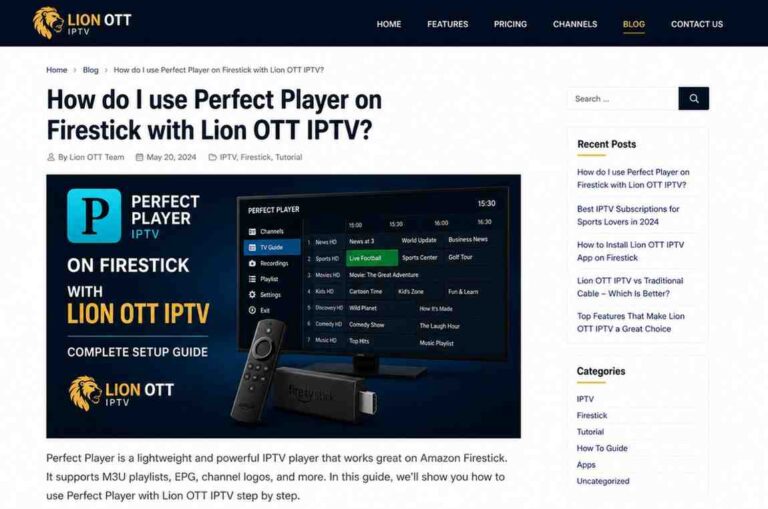
TiviMate is one of the most popular IPTV player apps.
Why users love it:
- Clean interface
- Fast loading
- Playlist management
- EPG support
- Favorites
- Catch-up support
Best for advanced users.
2. IBO Player
IBO Player is beginner-friendly and simple.
Features:
- Easy activation
- Stable streaming
- Playlist upload
- Clean layout
Best for simple setup.
3. IPTV Smarters Pro
Very popular among IPTV users.
Features:
- M3U playlist support
- Xtream Codes login
- VOD support
- Multi-user support
Best for families.
4. 9Xtream
A lightweight IPTV app.
Features:
- Easy M3U setup
- Fast performance
- EPG support
- Category sorting
Best for simplicity.
How to Install IPTV Apps on Firestick
Before adding your M3U playlist, install an IPTV player.
There are two methods.
Method 1: Install from Amazon App Store
Some IPTV apps are available directly.
Steps:
Step 1
Open Firestick Home.
Step 2
Go to Search.
Step 3
Type app name.
Examples:
- TiviMate
- IPTV Smarters Pro
- IBO Player
- 9Xtream
Step 4
Select app.
Step 5
Click Download.
Step 6
Open app.
Done.
Method 2: Install Using Downloader App
For apps not available in the App Store.
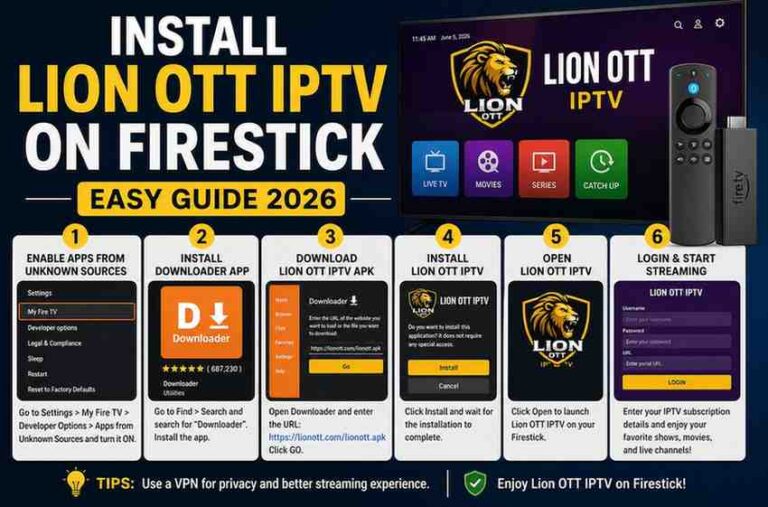
Step 1: Install Downloader
Search for Downloader by AFTVnews.
Install it.
Step 2: Enable Unknown Sources
Go to:
Settings → My Fire TV → Developer Options
Turn on:
Apps from Unknown Sources
Step 3: Download APK
Open Downloader.
Enter app APK URL.
Download and install.
How to Setup Lion OTT IPTV on TiviMate (M3U Playlist)
TiviMate is one of the best apps for IPTV.
Follow these steps.
Step 1: Open TiviMate
Launch app.
Step 2: Click Add Playlist
On first launch, choose:
Add Playlist
Step 3: Choose M3U Playlist
Select:
M3U Playlist
Step 4: Enter Lion OTT IPTV M3U URL
Paste the M3U URL provided by Lion OTT IPTV.
Make sure there are no extra spaces.
Step 5: Continue
Click Next.
TiviMate will load channels.
Step 6: Add EPG URL
If Lion OTT provides EPG, enter it.
This gives channel schedules.
Step 7: Finish Setup
Wait for channels to load.
Done.
You’re ready to stream.
How to Setup Lion OTT IPTV on IPTV Smarters Pro
Very easy for beginners.
Step 1
Open IPTV Smarters Pro.
Step 2
Accept Terms.
Step 3
Choose:
Load Your Playlist or File/URL
Step 4
Add Playlist Name
Example:
Lion OTT IPTV
Step 5
Paste M3U URL
Add your subscription URL.
Step 6
Click Add User
Wait for channels to load.
Done.
How to Setup Lion OTT IPTV on IBO Player
IBO Player works differently.
Step 1
Open IBO Player.
Step 2
Copy Device MAC Address.
Save Device ID.
Step 3
Visit IBO Activation Website
Enter device details.
Step 4
Upload Lion OTT IPTV Playlist
Paste M3U URL.
Step 5
Save Playlist
Restart app.
Done.
Channels will appear.
How to Setup Lion OTT IPTV on 9Xtream
Simple and fast.
Step 1
Open 9Xtream.
Step 2
Select Add Playlist.
Step 3
Choose M3U URL.
Step 4
Paste Lion OTT IPTV M3U URL.
Step 5
Save.
Wait for loading.
Done.
M3U Playlist vs Xtream Codes
Many IPTV services offer both.
Which is better?
M3U Playlist
Advantages:
- Works with almost every app
- Easy backup
- Flexible
Disadvantages:
- Manual EPG setup
- Longer setup
Xtream Codes
Advantages:
- Faster login
- Auto EPG
- Better organization
Disadvantages:
- Limited app support
If Lion OTT IPTV offers Xtream Codes, it may be easier.
But M3U gives you more flexibility.
Common M3U Playlist Problems on Firestick
Sometimes setup doesn’t work immediately.
Here are the most common issues.
Invalid URL
Cause:
Wrong playlist URL.
Fix:
Copy carefully.
Playlist Not Loading
Cause:
Subscription issue.
Fix:
Contact Lion OTT IPTV.
Buffering
Cause:
Slow internet.
Fix:
Improve connection.
App Freezing
Cause:
Old app version.
Fix:
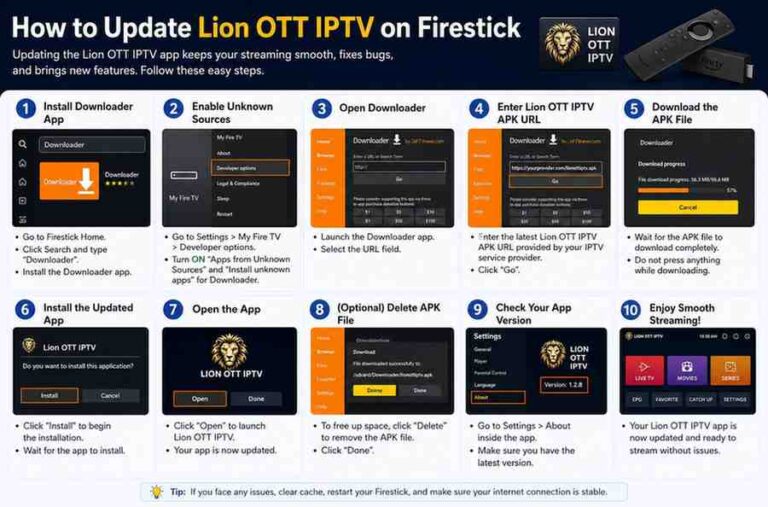
Update app.
Missing Channels
Cause:
Playlist refresh needed.
Fix:
Reload playlist.
Tips for Better IPTV Streaming on Firestick
Want smoother performance?
Follow these tips.
Use Strong Internet
Recommended:
- 20 Mbps for HD
- 40 Mbps for 4K
Restart Firestick Weekly
Improves performance.
Clear Cache Regularly
Keeps apps fast.
Keep Apps Updated
Fixes bugs.
Use Ethernet If Possible
More stable than Wi-Fi.
Best Firestick Settings for IPTV
Optimize your Firestick.
Turn Off Data Monitoring
Settings → Preferences → Data Monitoring → Off
Improves streaming.
Disable Notifications
Reduces interruptions.
Free Up Storage
Delete unused apps.
Close Background Apps
Improves speed.
Can You Use Multiple M3U Playlists?
Yes.
Apps like TiviMate allow multiple playlists.
Benefits:
- Backup provider
- Separate sports playlists
- International content
Very useful.
Can You Record IPTV on Firestick?
Some apps support recording.
For example:
TiviMate premium.
Requirements:
- Storage
- Stable internet
Useful for sports fans.
Is It Legal to Use M3U Playlists?
M3U technology itself is legal.
Legality depends on the content source.
Always use properly licensed services and follow local regulations.
Why Choose Lion OTT IPTV for Firestick?
Lion OTT IPTV is a strong option for Firestick users.
Benefits include:
- Large channel library
- Sports coverage
- Movies and TV shows
- HD and 4K support
- Stable streaming
- M3U compatibility
- Multi-app support
This makes setup easy.
Final Thoughts
So, can you install an M3U playlist on Firestick?
Yes—and it’s one of the easiest ways to enjoy IPTV content.
With apps like:
- TiviMate
- IBO Player
- IPTV Smarters Pro
- 9Xtream
You can easily set up your IPTV service in minutes.
If you’re using Lion OTT IPTV, the setup is even easier because it supports M3U playlists and works with the most popular IPTV players.
Choose your app, add your M3U playlist, and start streaming.
Frequently Asked Questions
Can Firestick play M3U playlists?
Yes. You need an IPTV player app.
Which app is best for M3U on Firestick?
TiviMate is one of the best.
Can IPTV Smarters Pro use M3U?
Yes.
IPTV Smarters Pro supports M3U playlists.
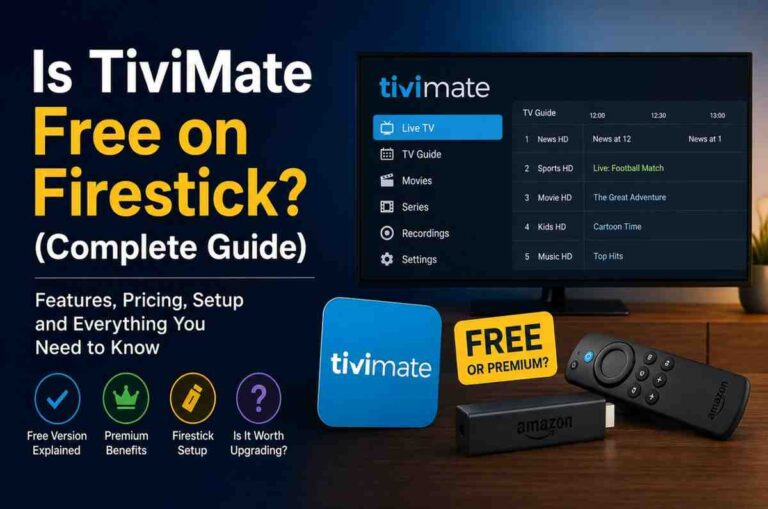
Is TiviMate free?
Yes, but premium features cost extra.
Can I use multiple playlists?
Yes.
Supported in apps like TiviMate.
Why is my playlist buffering?
Usually due to internet speed or server issues.
Does Lion OTT IPTV support Firestick?
Yes.
Lion OTT IPTV works on Firestick through M3U-compatible IPTV apps.