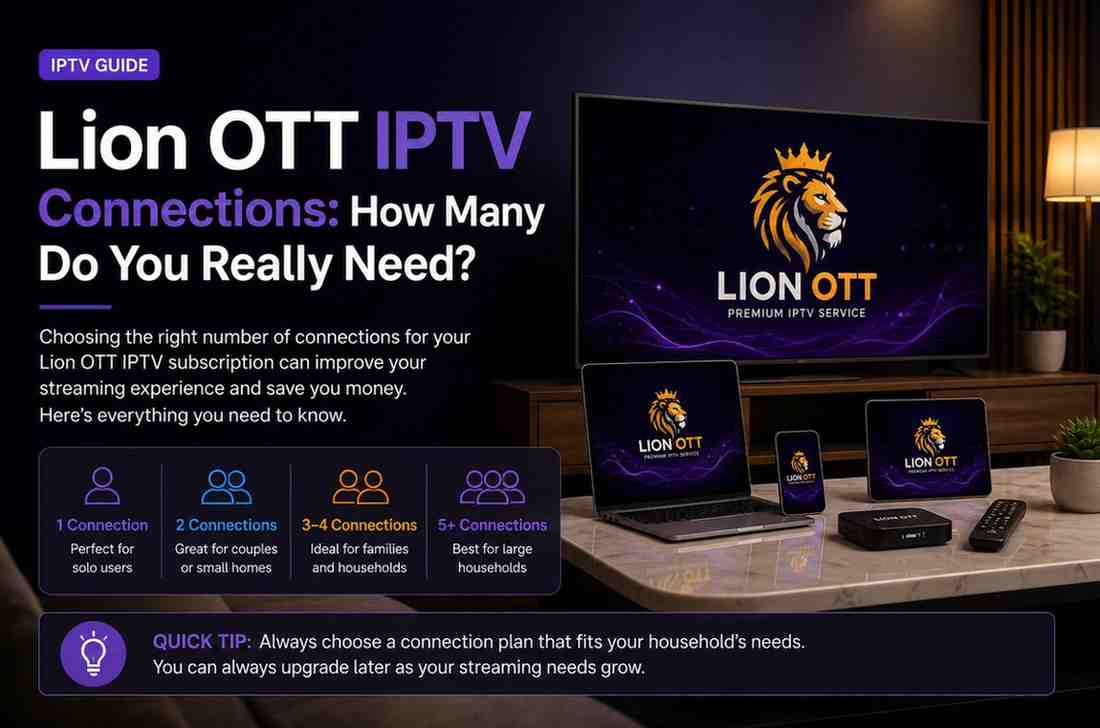
Lion OTT IPTV Connections: How Many Do You Really Need?
When you’re setting up your IPTV service, one question always comes up sooner or later: how many Lion OTT IPTV connections do I actually need?
It might seem like a small detail, but it can completely shape your experience. Too few Lion OTT IPTV connections, and you’ll deal with interruptions. Too many, and you’re just spending extra money for no reason.
If you’re considering a Lion OTT IPTV connections plan, the key is to match your subscription to your real-life usage—not just what sounds good on paper.
This guide breaks everything down in a simple, practical way so you can make the right decision without confusion.
What Are IPTV Connections?
Let’s start with the basics.
An IPTV connection simply means how many devices can stream content at the same time using one subscription.
For example:
- 1 connection → Only one device can stream at a time
- 2 connections → Two devices can stream simultaneously
- 3+ connections → Multiple devices can stream at once
It’s important to understand this clearly: connections are about simultaneous usage, not the number of devices you own.
You can install IPTV on five devices—but if you only have one connection, only one can be used at any moment.
Why Connections Matter More Than You Think
At first, many users assume one connection is enough. And sometimes it is—but only under specific conditions.
The moment you:
- Switch between devices quickly
- Share your subscription
- Have family members watching different content
…you’ll start to notice limitations.
Choosing the right number of Lion OTT IPTV connections ensures:
- No interruptions while streaming
- Smooth switching between devices
- Flexibility for multiple users
- Better overall experience
One Connection: Simple but Limited
A single connection is the most basic option—and for some people, it works perfectly.
Best for:
- Individuals living alone
- Users who watch on one device only
- People with a fixed viewing routine
Example:
You watch TV every evening on your Smart TV. You don’t use IPTV on your phone or laptop. In this case, one connection is enough.
Limitation:
If you start streaming on your phone while the TV is still running, one stream will stop.
So while it’s cost-effective, it’s not very flexible.
Two Connections: The Sweet Spot
For many users, two connections offer the perfect balance.
Best for:
- Couples
- Users with two main devices
- People who want flexibility
Example:
You’re watching a movie on your TV, while someone else watches a series on a tablet.
No interruptions. No conflicts.
This is why many users prefer a Lion OTT IPTV connections plan with at least two streams—it gives freedom without overpaying.
Three or More Connections: Family-Friendly Setup
If you live in a household with multiple users, one or two connections won’t cut it.
Best for:
- Families
- Shared homes
- Multiple TVs and devices
Example:
- Living room TV streaming sports
- Kids watching cartoons on tablets
- Someone else watching a movie on their phone
In this case, you’ll need at least 3–5 connections for a smooth experience.
Real-Life Usage Scenarios
Let’s make this even more practical.
Scenario 1: Solo Viewer
- One TV
- Occasional phone use
Recommended: 1 connection
Scenario 2: Couple
- TV + mobile device
- Different viewing preferences
Recommended: 2 connections
Scenario 3: Small Family
- Multiple devices active
- Kids + adults watching separately
Recommended: 3–4 connections
Scenario 4: Heavy Usage Household
- Multiple TVs
- Streaming throughout the day
Recommended: 4–5 connections
What Happens If You Exceed Your Connection Limit?
This is where things can get frustrating.
If you go beyond your allowed connections:
- One stream may stop automatically
- You may get logged out
- You might see playback errors
This often happens at the worst times—like during live sports or important shows.
That’s why choosing the right number of Lion OTT IPTV connections is not just about convenience—it’s about avoiding interruptions.
Can You Use One Connection on Multiple Devices?
Yes—but not at the same time.
You can install IPTV apps on:
- Smart TVs
- Phones
- Tablets
- Laptops
But with a single connection:
- Only one device can stream at a time
- Switching devices will stop the previous stream
So technically, one connection supports multiple devices—but not simultaneous use.
Do More Connections Improve Streaming Quality?
Not directly.
Connections control how many streams you can run—not the quality of each stream.
Quality depends on:
- Internet speed
- Server performance
- Device capability
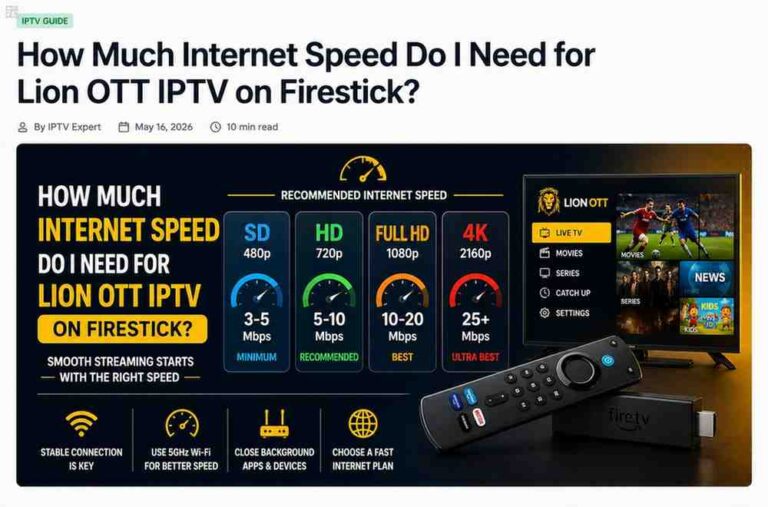
However, if multiple users are streaming at once, your internet bandwidth is shared. So you need enough speed to support all active connections.
Recommended Internet Speeds
To match your connection plan, you’ll need proper internet speed.
Here’s a simple guide:
- 1 device (HD) → 10 Mbps
- 2 devices (HD) → 20 Mbps
- 3–4 devices (HD/Full HD) → 30–50 Mbps
- 4K streaming (multiple devices) → 50+ Mbps
Without enough speed, even the best Lion OTT IPTV connections plan won’t perform well.
Should You Share Your IPTV Subscription?
It might sound like a good idea to split costs with friends—but it comes with risks.
Possible Issues:
- Connection limits being exceeded
- Constant interruptions
- Account restrictions
Some providers also monitor usage patterns, and unusual activity may lead to warnings or suspension.
It’s always safer to use your subscription within your household.
How to Choose the Right Plan
Instead of guessing, take a moment to think about your actual usage.
Ask yourself:
- How many people will use IPTV?
- How many devices will stream at the same time?
- Do you switch devices often?
- Do you watch content at the same time as others?
Once you answer these, choosing the right Lion OTT IPTV connections plan becomes much easier.
Common Mistakes to Avoid
Many users make the same mistakes when choosing connections.
1. Underestimating Usage
People often think one connection is enough—until conflicts start happening.
2. Overpaying
Buying more connections than needed wastes money.
3. Ignoring Internet Speed
Connections won’t help if your internet is slow.
4. Not Testing First
Trying a smaller plan first can help you understand your real needs.
Can You Upgrade Later?
Yes—and this is actually a smart strategy.
You can:
- Start with 1 or 2 connections
- Monitor your usage
- Upgrade if needed
This way, you avoid overspending while still keeping flexibility.
Why Flexibility Matters
Your needs today might not be the same in a few months.
You might:
- Add new devices
- Share with family members
- Watch more content
Choosing a flexible Lion OTT IPTV connections plan ensures you’re ready for these changes.
Final Thoughts
At the end of the day, choosing the right number of connections isn’t complicated—it just requires a bit of honest thinking about how you actually use IPTV.
The goal is simple:
- No interruptions
- Smooth streaming
- No unnecessary costs
For some, one connection is enough. For others, especially families, multiple connections are essential.
By understanding your needs and matching them with the right Lion OTT IPTV connections plan, you can enjoy a seamless and stress-free streaming experience.
Take a practical approach, start smart, and adjust as needed—and you’ll never have to deal with frustrating stream interruptions again.