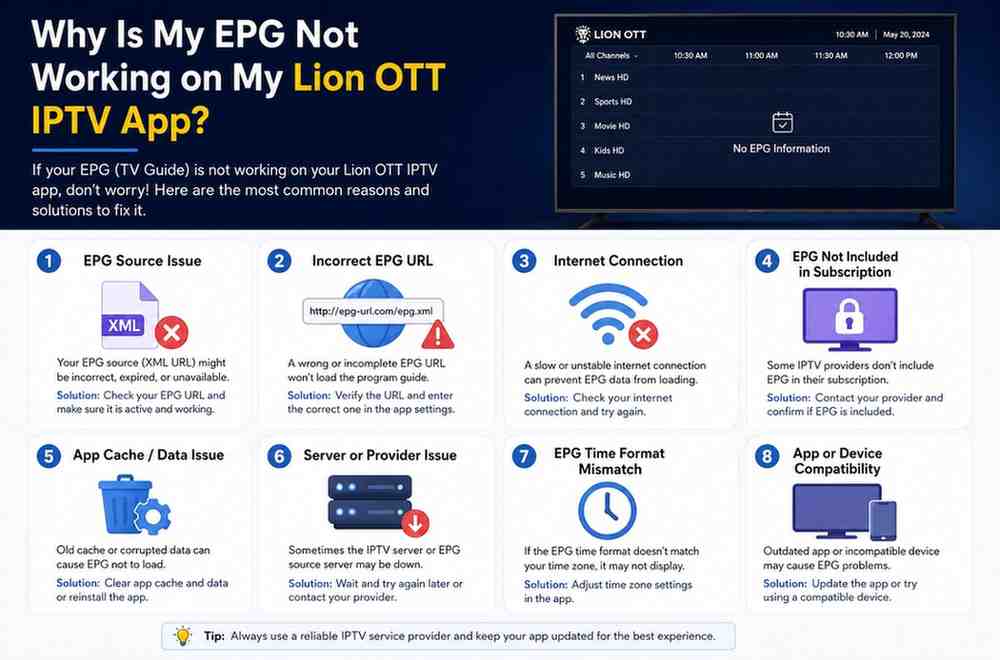
Fix Lion OTT EPG Problems on IPTV App
Watching IPTV becomes much easier when the Electronic Program Guide, commonly called EPG, works properly. The EPG helps users see channel schedules, current shows, upcoming programs, and broadcast timings directly inside the IPTV app. Without it, browsing channels feels confusing and inconvenient. Many users search online daily for solutions to Lion OTT EPG Problems because missing guide information can affect the overall streaming experience.
Many Lion OTT IPTV users experience EPG issues on Firestick, Android TV, Smart TVs, and mobile devices. Sometimes the guide remains completely blank. Other times, channel information disappears, schedules show incorrect timings, or the EPG fails to load entirely. These Lion OTT EPG Problems can make streaming frustrating, especially for users who rely on the guide to follow sports events, movies, or favorite television programs.
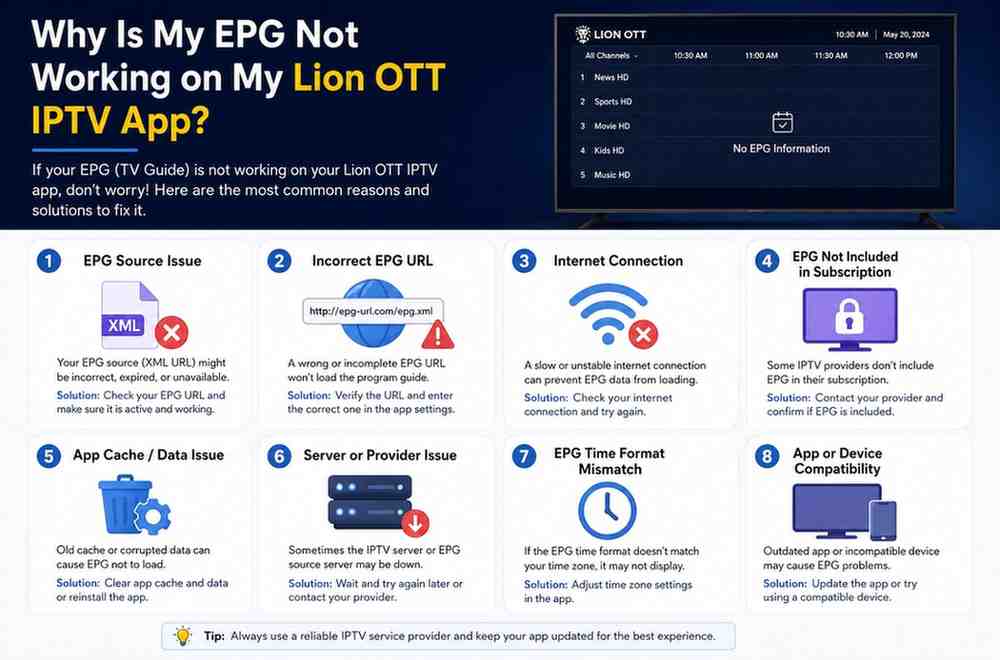
What Is an IPTV EPG?
Before troubleshooting the issue, it helps to understand what an EPG actually does.
EPG stands for Electronic Program Guide. It displays television schedules and program information inside IPTV apps. Instead of browsing channels blindly, users can see:
- Current shows
- Upcoming programs
- Movie schedules
- Sports event timings
- TV guide information
- Channel descriptions
Most IPTV users rely heavily on the EPG for a better viewing experience.
Without an EPG, IPTV becomes less organized and more difficult to navigate.
Why Lion OTT IPTV EPG Stops Working
Several things can cause EPG failures inside IPTV apps.
Common causes include:
- Weak internet connection
- Outdated IPTV apps
- Corrupted cache files
- Incorrect timezone settings
- Expired playlists
- IPTV server problems
- Invalid EPG URLs
- Firestick storage limitations
Identifying the real issue helps you solve the problem faster.
Weak Internet Connection Interrupts EPG Loading
A stable internet connection is essential for IPTV services.
Unlike regular streaming, IPTV apps constantly refresh EPG information from remote servers. If the internet connection becomes unstable, the guide may fail to update correctly.
Signs Internet Is Causing EPG Problems
You may notice:
- Blank EPG sections
- Slow guide loading
- Missing program details
- Delayed updates
- IPTV freezing while loading guide
How to Fix Internet Problems
Try these solutions:
- Restart your router
- Move Firestick closer to Wi-Fi
- Use 5GHz Wi-Fi network
- Disconnect unused devices
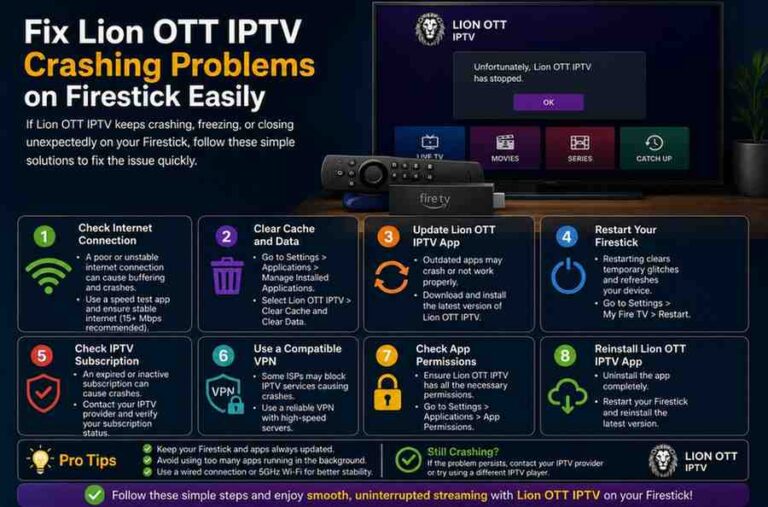
- Restart Firestick
Stable internet improves EPG performance significantly.
Restart Your Firestick or Device
Many users overlook simple restarts.
Over time, temporary processes consume memory and slow app performance. Restarting the device refreshes the operating system and clears temporary glitches.
How to Restart Firestick
- Open Settings
- Select My Fire TV
- Click Restart
You can also unplug the Firestick for 30 seconds and reconnect it.
This simple step often fixes temporary Lion OTT EPG Problems instantly.
Clear IPTV App Cache
Cache files help IPTV apps load faster, but excessive cache may create EPG errors.
Corrupted cache files can stop guide information from updating properly.
Signs of Cache Problems
- Blank EPG data
- Incorrect schedules
- Missing channel information
- App freezing while loading guide
How to Clear Cache
- Go to Settings
- Open Applications
- Select Manage Installed Applications
- Choose your IPTV app
- Click Clear Cache
Avoid selecting “Clear Data” unless necessary because it removes saved login details.
Regular cache cleaning improves IPTV performance.
Incorrect Timezone Settings Cause EPG Errors
One of the most overlooked causes of IPTV EPG issues is incorrect timezone settings.
If your Firestick or IPTV app uses the wrong timezone, program schedules may appear incorrectly or fail completely.
Common Timezone Problems
- Programs show wrong timings
- EPG appears empty
- Schedule updates fail
- Live broadcasts display incorrectly
How to Fix Timezone Settings
On Firestick:
- Open Settings
- Select Preferences
- Choose Time Zone
- Set correct region and timezone
After updating timezone settings, restart the IPTV app.
Correct time settings help synchronize EPG data properly.
Outdated IPTV Apps Create EPG Compatibility Issues
Older IPTV apps may struggle to load updated EPG data.
Developers regularly release updates to improve performance and compatibility.
Signs Your App Needs Updating
- EPG never loads
- Guide refresh fails
- App crashes frequently
- Missing program information
How to Update IPTV Apps
- Update through Amazon App Store
- Install latest APK manually
- Reinstall updated IPTV application
Updated apps often fix Lion OTT EPG Problems immediately.
IPTV Playlist Expiration Problems
Sometimes the IPTV playlist itself causes EPG failures.
If your IPTV subscription expires or the playlist becomes invalid, EPG data may stop loading.
Signs of Playlist Problems
- Channels work but guide remains empty
- Playlist refresh errors
- Invalid login messages
- Missing channel data
How to Fix Playlist Issues
- Verify subscription status
- Request updated playlist URL
- Re-enter Xtream Codes details
- Refresh playlist manually
Always double-check IPTV login credentials carefully.
Invalid EPG URLs Cause Missing Channel Information
Many IPTV services use separate EPG URLs.
If the EPG link becomes invalid or outdated, guide information may disappear.
Common EPG URL Problems
- Blank channel guide
- Partial channel information
- Guide loading failures
How to Fix Invalid EPG Links
- Request updated EPG URL from provider
- Re-enter EPG URL manually
- Refresh IPTV settings
Correct EPG links restore missing guide information quickly.
Firestick Storage Problems Affect EPG Performance
Firestick devices have limited internal storage.
When storage becomes full, IPTV apps may fail to load guide information correctly.
How to Check Firestick Storage
Go to:
Settings > My Fire TV > About > Storage
Low storage space may slow app performance significantly.
How to Free Storage
Delete:
- Unused apps
- Old APK files
- Downloads
- Large cache files
More free storage improves IPTV stability and EPG loading speed.
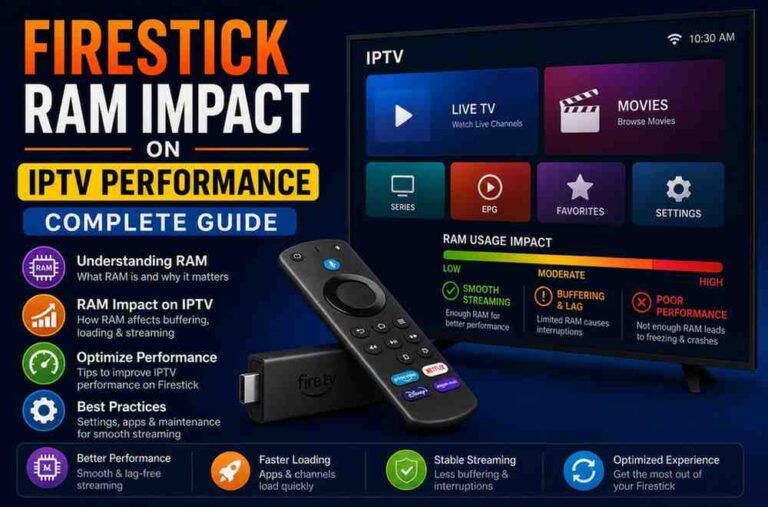
Low RAM Can Prevent EPG Loading
RAM plays an important role in IPTV performance.
Older Firestick devices with limited RAM may struggle to handle large IPTV playlists and guide data.
Symptoms of Low RAM
- Slow guide loading
- Freezing menus
- IPTV app crashes
- Delayed channel switching
Solutions
- Restart Firestick regularly
- Close background apps
- Remove unnecessary applications
- Upgrade older Firestick models
More available memory improves IPTV responsiveness.
Lion OTT Server Problems
Sometimes the issue is not caused by your device.
IPTV providers occasionally experience server problems that interrupt EPG updates.
Signs of Server Issues
- All EPG data disappears
- Channels work but schedules remain blank
- Refreshing guide changes nothing
What You Can Do
- Wait a few minutes
- Restart the app
- Contact IPTV provider
- Try refreshing EPG later
Most server-related issues are temporary.
VPN Services Can Affect EPG Loading
Many IPTV users rely on VPN services for privacy and unrestricted streaming.
However, some VPN servers may interfere with EPG connections.
VPN Problems Include
- Slow EPG refresh
- Missing guide data
- Delayed updates
- IPTV instability
How to Test VPN Issues
Disconnect the VPN temporarily and reload the IPTV app.
If the EPG starts working normally, the VPN connection may be causing the issue.
Best VPN Tips
- Use premium VPN providers
- Choose nearby servers
- Avoid overcrowded locations
Reliable VPN services improve streaming without interrupting guide updates.
ISP Restrictions Can Interrupt IPTV Services
Some internet providers limit IPTV traffic during busy hours.
This process is called throttling.
Signs of ISP Throttling
- IPTV slows during evenings
- EPG updates fail repeatedly
- Streaming quality drops
How to Reduce ISP Restrictions
- Use reliable VPN service
- Restart router regularly
- Upgrade internet plan if necessary
Many users notice smoother IPTV performance after bypassing ISP restrictions.
Why EPG Works on Some Channels Only
Some users notice the guide works for certain channels but not others.
This usually happens because:
- Some channels lack EPG support
- Server data is incomplete
- International channels use different guide sources
Unfortunately, not every IPTV channel provides accurate EPG information.
Best IPTV Apps for EPG Support
The IPTV player you use matters significantly.
Some IPTV apps provide much better EPG support than others.
Recommended IPTV Apps
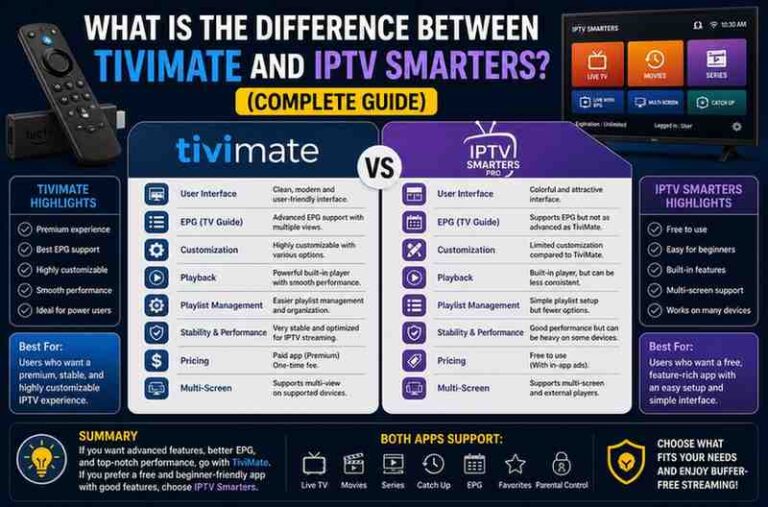
- IPTV Smarters Pro
- TiviMate
- XCIPTV
- Perfect Player
- Flix IPTV
Reliable IPTV players improve EPG performance considerably.
Why Sports Channels Often Show Incorrect EPG Information
Sports broadcasts change frequently.
Live matches may start late, extend into overtime, or shift schedules unexpectedly.
This sometimes causes:
- Incorrect timings
- Missing events
- Delayed guide updates
Most sports-related EPG issues are temporary.
Reinstall the IPTV App
If all troubleshooting steps fail, reinstalling the IPTV app may help.
Corrupted app files can interrupt EPG functionality completely.
How to Reinstall IPTV Apps
- Uninstall IPTV app
- Restart Firestick
- Download latest version
- Re-enter login credentials
Fresh installations often solve persistent Lion OTT EPG Problems.
Factory Reset as Last Option
A factory reset should only be your final solution.
This removes:
- Installed apps
- Saved settings
- Login information
When Resetting Helps
- Firestick becomes extremely slow
- IPTV apps crash constantly
- EPG problems continue despite troubleshooting
After resetting, install only essential apps for smoother performance.
Tips to Prevent Future EPG Problems
You can reduce future IPTV guide issues by following simple maintenance habits.
Keep Apps Updated
Install latest IPTV app versions regularly.
Restart Firestick Frequently
Restarting refreshes system memory and improves stability.
Clear Cache Weekly
Regular maintenance prevents corrupted cache build-up.
Maintain Strong Internet
Stable internet remains essential for IPTV services.
Avoid Too Many Apps
Excessive apps consume RAM and storage space.
These habits improve IPTV performance significantly.
Common Mistakes IPTV Users Make
Many users accidentally create EPG problems themselves.
Common mistakes include:
- Ignoring app updates
- Using outdated playlists
- Never restarting Firestick
- Overloading storage space
- Using slow VPN services
Avoiding these habits improves IPTV reliability.
When to Contact Lion OTT Support
Sometimes professional help becomes necessary.
You should contact support if:
- EPG remains blank for days
- Playlist refresh fails repeatedly
- Guide data disappears completely
- Login credentials stop working
Information to Provide Support
- Device model
- IPTV app name
- Screenshots of EPG issue
- Internet speed details
- Playlist type
Detailed information helps support teams solve problems faster.
Final Thoughts
Lion OTT IPTV EPG problems can happen for many reasons, but most issues are fixable. In many cases, the problem comes from unstable internet, outdated apps, incorrect timezone settings, corrupted cache files, or IPTV server interruptions.
Instead of randomly changing settings, troubleshoot step by step. Start with simple solutions like restarting Firestick, clearing cache, checking internet speed, and refreshing playlist information.